How to send a secure document upload link to your client
Last updated: September 30, 2026
Tax returns contain some of the most sensitive personal and financial information your clients have. Rather than asking clients to send documents over email, Worthy lets you send a secure portal link so clients can upload directly, without ever needing to log in.
For a new client
From your client list, click Add New
Click Send Portal Link
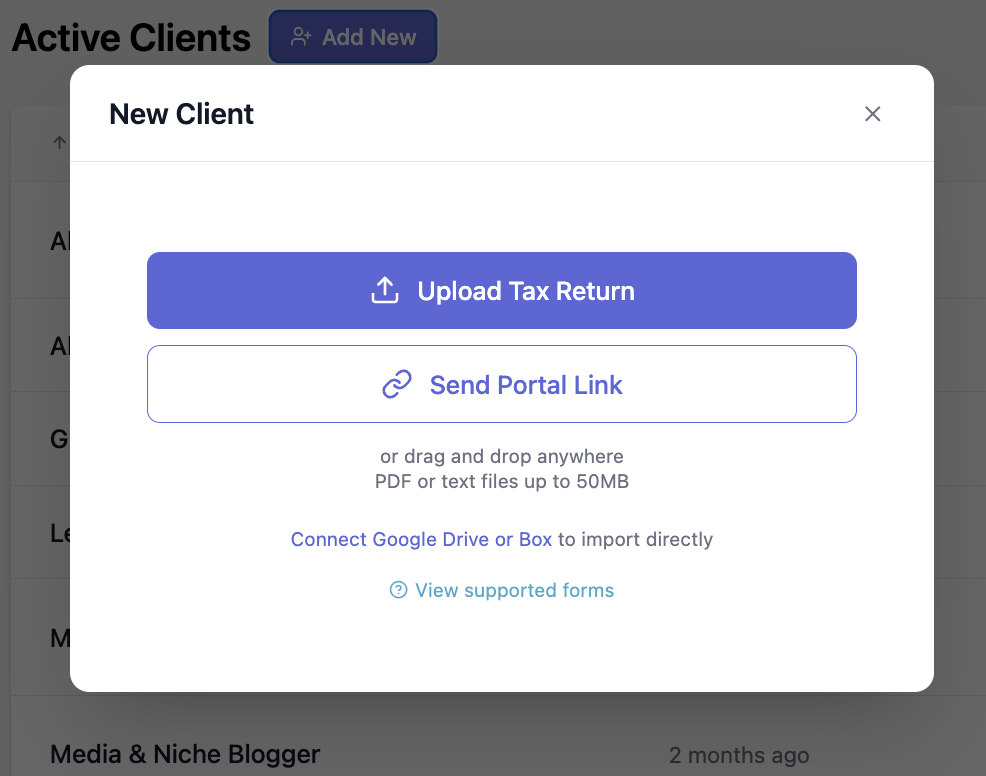
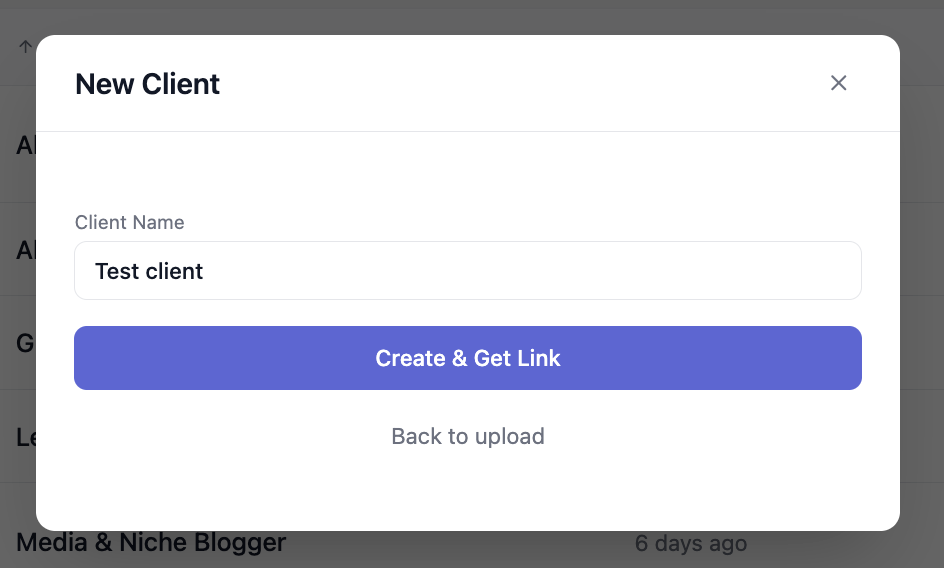
Enter the client's name
Click Create & Get Link
Copy the link and send it to your client — from this link, they can upload tax documents without logging in
Note: The link is valid for 7 days.
For an existing client
Click on the client you want
Click Documents
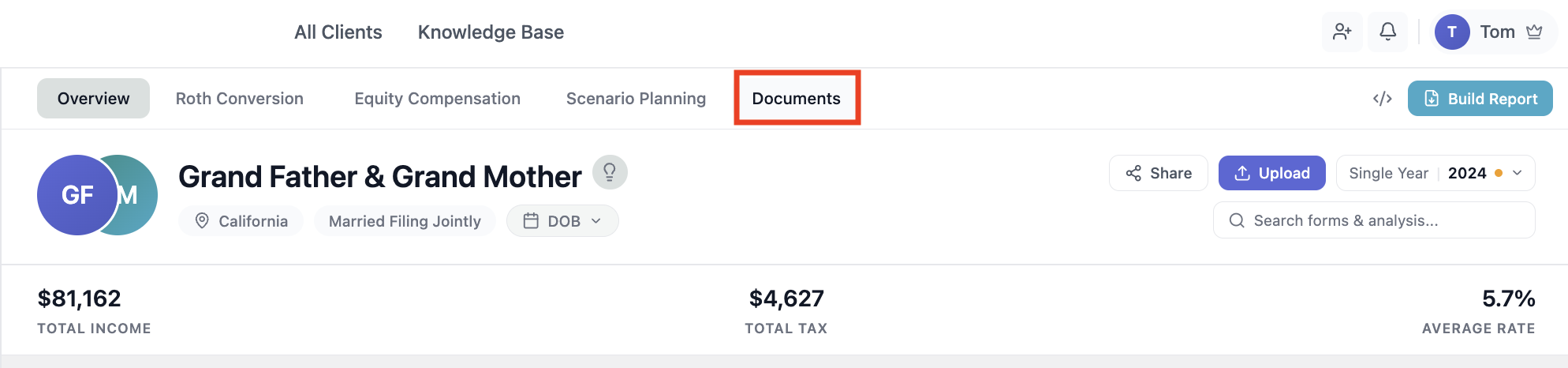
Click Send Portal Link
Set the link expiry to your preference (unlike new client links, you can customize the expiration time)
Click Generate Link
Copy the link and send it to your client
If you run into any issues, reach out at hello@withworthy.com.